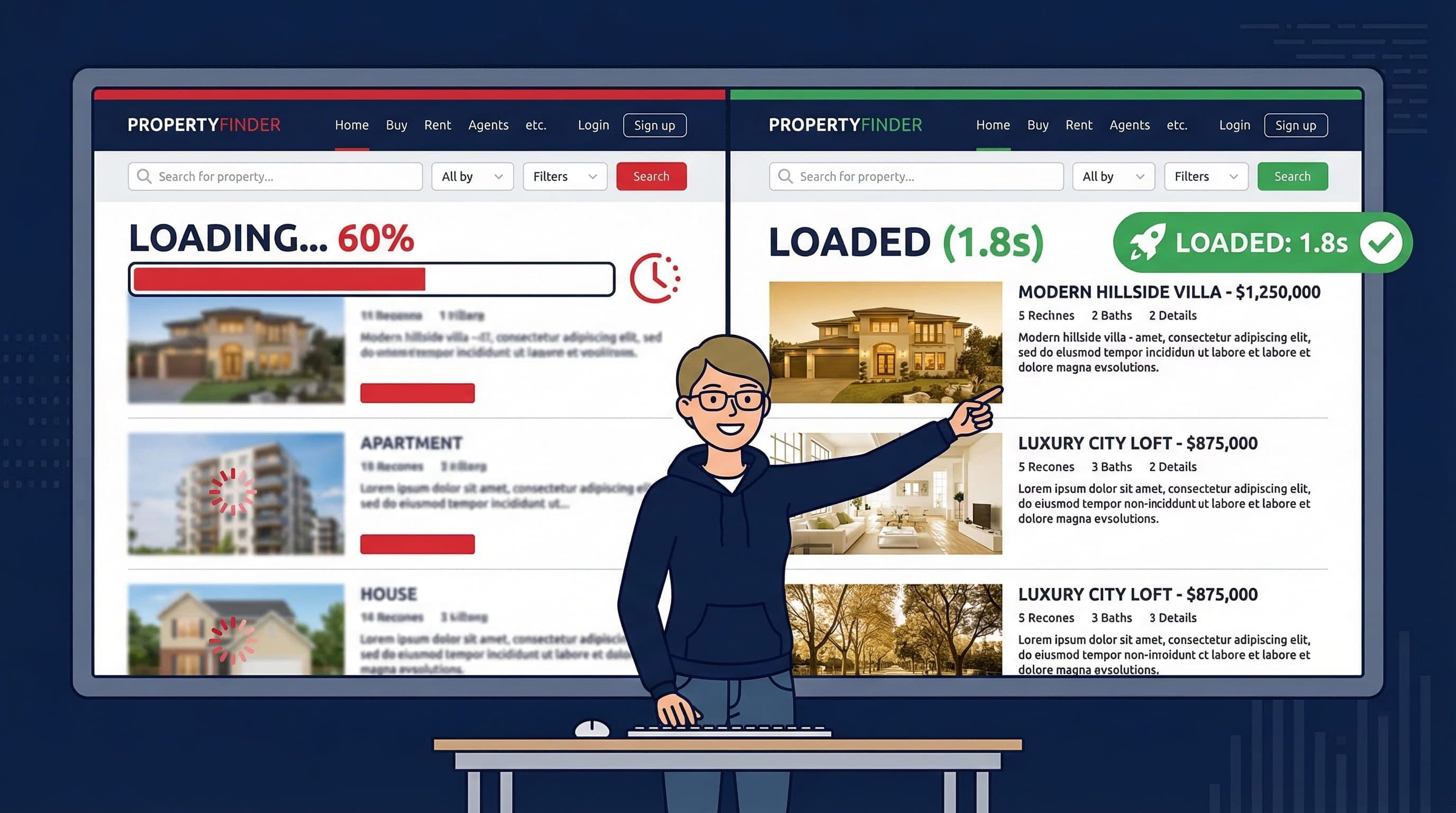
7 Ways to Fix Real Estate Website Speed Without Losing Image Quality (2026)
Slow real estate website? Fix page speed without breaking your property images using these 7 proven steps, exact tools, real before and after results.
If your real estate website is slow, you are losing leads before buyers even see your properties. Here is exactly how to fix it without breaking your gallery.
By Sheikh Hassaan, digital architect for small businesses
Quick Answer
To fix real estate website speed without breaking your property gallery: compress existing images using ShortPixel, enable lazy loading in the gallery plugin settings, install a caching plugin like LiteSpeed Cache, connect Cloudflare as a free CDN, defer non-critical scripts, and upgrade hosting if server response time exceeds 600 milliseconds. These seven fixes consistently take a real estate website from 6 to 7 seconds down to under 2.5 seconds on mobile without changing a single image or layout.
Why Real Estate Websites Are Hard to Speed Up
Real estate website speed optimization is harder than almost any other business type because the product is the image. A typical service business website has a hero photo, a few section images, and a headshot. A real estate website has 20 to 40 high-resolution property images per listing, gallery pages loading simultaneously, and homepage sliders cycling through full-width photos. The image load is not comparable.
The average unedited property photo from a professional photographer runs 4 to 8 megabytes. A listing gallery with 15 photos at that size is 60 to 120 megabytes loading in one page request. On a mobile phone on 4G that is enough data to push the property website load time past 6 seconds, which is where most buyers have already left.
The complication is that the standard speed advice, compress and remove images, directly conflicts with the product. A luxury property site showing visually degraded images loses credibility with the exact buyers it is trying to attract. The goal is fast load speed and uncompromised visual quality. That is achievable. It just requires doing things in the right order with the right tools.
The Speed Audit Table: Find the Problem Before Applying the Fix
Run the site through Google PageSpeed Insights and GTmetrix before making any changes. Note the specific issues flagged rather than just the score. This table maps the most common real estate speed issues to their fix.
| Speed Issue | Typical Impact | Fix |
|---|---|---|
| Uncompressed property images | 3 to 8 second extra load time | ShortPixel or Imagify compression before upload |
| No caching plugin | Full page rebuild on every visit | WP Rocket or LiteSpeed Cache |
| No CDN | Slow delivery to distant visitors | Cloudflare free tier or host-included CDN |
| Render-blocking scripts | Page appears blank while JS loads | Defer or async non-critical scripts |
| Gallery plugin loading all images at once | Long initial page load for gallery pages | Enable lazy loading in gallery settings |
| Budget shared hosting | Slow server response time | Upgrade to managed WordPress hosting |
| Unoptimised database | Slow admin and page queries | WP-Optimize for database cleanup |
Most real estate sites I work on have three or four of these issues active simultaneously. The biggest single impact almost always comes from image compression and caching. Fix those two first before touching anything else.
How Does Real Estate Website Speed Affect Property Enquiries?
The relationship between real estate website load time and lead conversion is direct and measurable. Google research consistently shows that a one-second increase in mobile load time reduces conversions by approximately 20 percent. For a real estate website taking 6 or 7 seconds to load on mobile, the majority of mobile visitors are leaving before the first property image is visible.
Before speed optimization: 6.8 second mobile load time. PageSpeed score 31. Estimated 80 percent of mobile visitors leaving before page renders.
After speed optimization: 2.4 second mobile load time. PageSpeed score 78. Same gallery. Same images. Same layout.
This result is typical for a real estate website where image compression and caching had never been configured.
These are buyers and sellers who found the site, loaded it, and left before seeing what the agent offers. The enquiries lost to slow page load time are invisible in most analytics because the session ends before any interaction is tracked. Real estate website speed optimization is not a technical exercise. It is a lead recovery exercise.
If You Only Do 3 Things to Improve Real Estate Website Speed, Do These
If you have limited time and want the fastest improvement in real estate website load time, these three fixes deliver the most impact with the least risk of breaking anything.
- Compress all existing images using ShortPixel. This single step reduces total image file size by 60 to 80 percent and is the biggest factor in real estate website load time.
- Enable lazy loading in your gallery plugin settings. This makes only the visible images load on initial page request. The rest load as the visitor scrolls.
- Install LiteSpeed Cache or WP Rocket. Page caching eliminates the server rebuild on every visit and reduces page load time significantly for repeat visitors and crawlers.
Do these three in order before touching anything else. They address the three biggest causes of slow property website load time and none of them require touching the gallery layout or replacing images.
How to Fix Real Estate Website Speed Without Breaking Your Gallery
Run the site through Google PageSpeed Insights before making any changes. Note the specific issues flagged. The score alone is less useful than understanding which problems are causing it. These seven fixes address the most common real estate website speed problems in order of impact.
Fix 1: How to Compress Real Estate Images Without Losing Quality
WordPress image compression for real estate websites
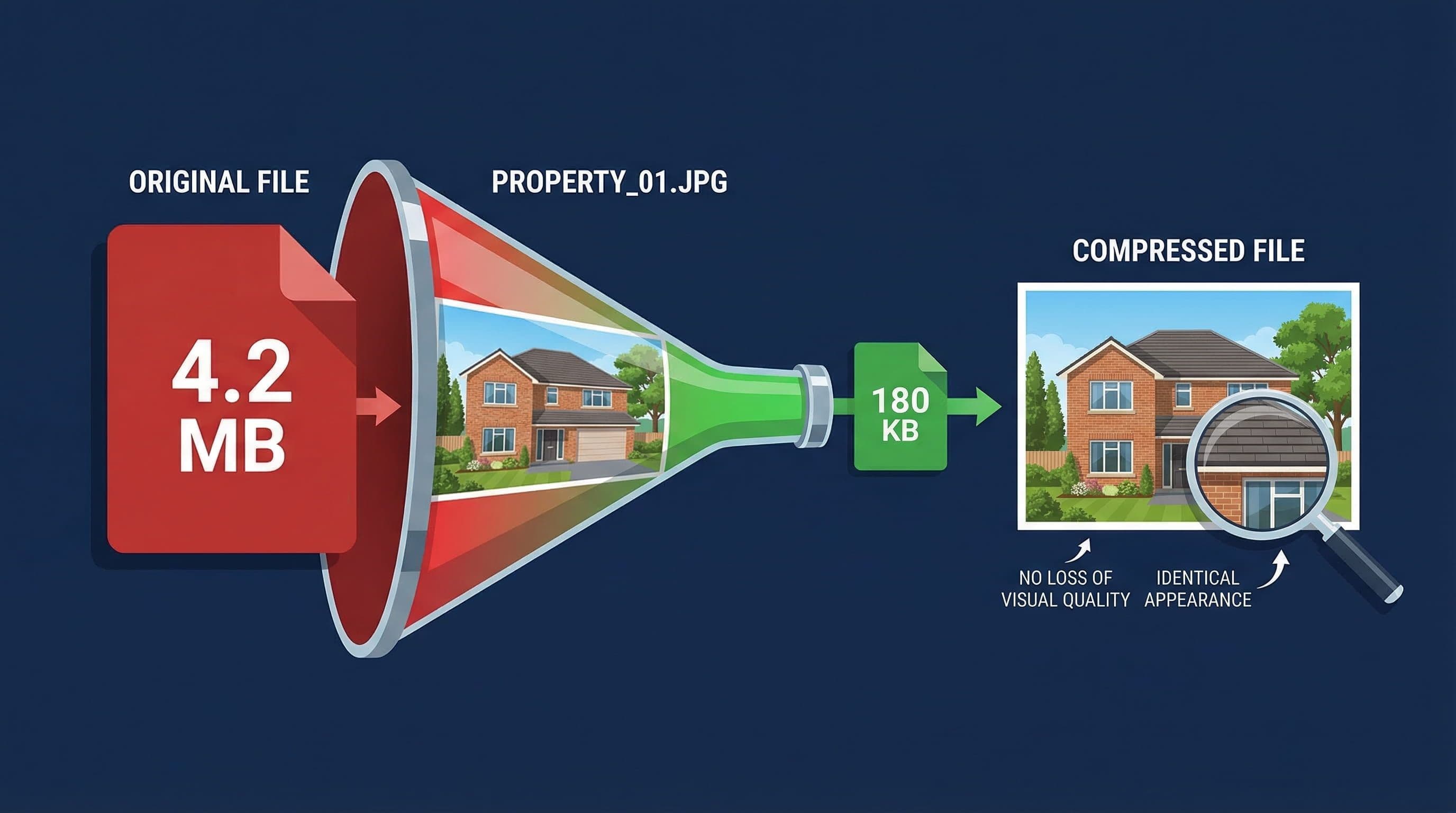
Install ShortPixel Image Optimizer from the WordPress plugin directory. In the settings choose Lossy compression for property exteriors and wide shots. Choose Glossy mode for interior close-ups where texture detail matters. Set maximum image width to 1800 pixels and run the bulk compression tool on the existing media library.
ShortPixel processes images already in your WordPress media library without reuploading or manual editing. A gallery page that previously loaded 90 megabytes of image data typically loads 18 to 36 megabytes after compression. The gallery layout, image dimensions, and visual quality on screen remain identical. Only the file size and your real estate website load time change.
Use Lossy compression for most property photos. The difference in visual quality between a 4MB uncompressed image and a 180KB compressed version is imperceptible at normal browser viewing sizes. The difference in page load time is not.
Fix 2: How to Enable Lazy Loading on Property Gallery Pages
Lazy loading for real estate property gallery
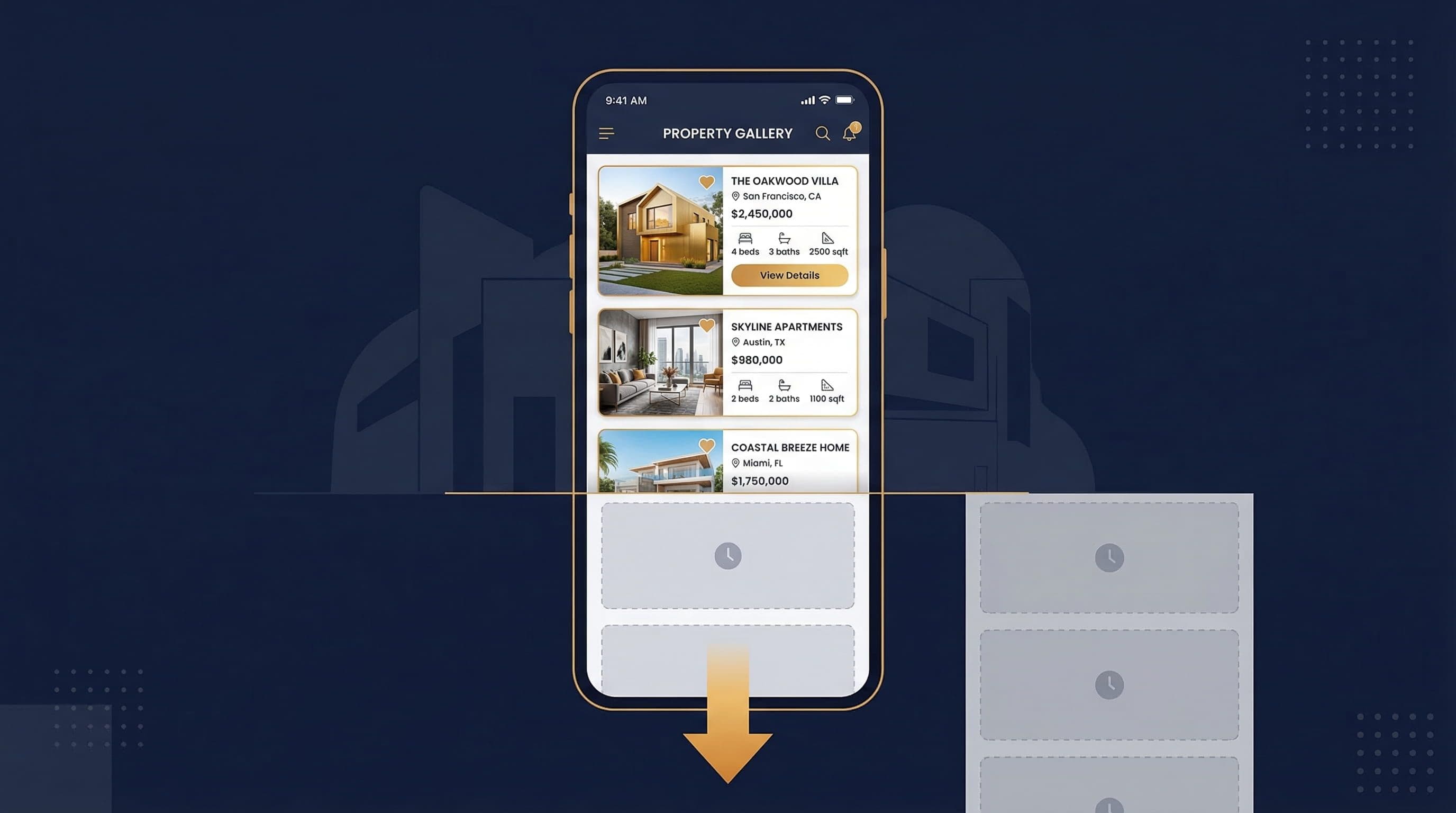
Lazy loading delays the loading of images below the visible screen until the visitor scrolls to them. WordPress enables lazy loading by default for images added after version 5.5. For gallery plugins, check the plugin settings specifically. FooGallery, Envira Gallery, and Modula all include lazy loading options in their settings panels. Enable it if not already active.
A 20-image property gallery with lazy loading loads only the first three or four visible images on initial page load. The remaining images load as the visitor scrolls. The perceived load time drops dramatically even though total image data transferred does not change. This is the correct solution to the property gallery loading problem because it optimizes how real estate images load, not whether they load.
Test lazy loading on the actual gallery page after enabling it. Some plugins implement lazy loading with a brief white flash between placeholder and loaded image. If this affects your gallery, switch to a JavaScript-based lazy loading library which provides a smoother fade-in transition more suited to luxury property presentation.
Fix 3: How to Set Up Caching to Reduce Page Load Time

Budget hosting versus managed hosting for real estate websites
Install LiteSpeed Cache if the site is on a LiteSpeed server, which SiteGround and many managed hosts use. Install WP Rocket on other hosting. After installation enable page caching, browser caching, and GZIP compression. Enable WebP conversion if the plugin offers it. This converts future image uploads to WebP format automatically, which is smaller than JPEG at equivalent visual quality.
Without caching, WordPress rebuilds every page from scratch on every visit. The server queries the database, assembles the page, and sends it to the browser. With caching active the first visitor triggers a build and the result is saved. Every subsequent visitor receives the saved version instantly. For a real estate site with detailed listing pages and a large property database, this difference in server response time is significant.
After activating caching, clear the cache and retest on PageSpeed Insights. A well-configured cache should reduce Time to First Byte from 800 to 1200 milliseconds on shared hosting to 200 to 400 milliseconds. If the improvement is minimal the bottleneck is the hosting server rather than caching configuration.
Fix 4: How to Connect a CDN for Faster Global Delivery
Create a free Cloudflare account and add the domain. Update nameservers at the domain registrar to point to Cloudflare. This routes all site traffic through Cloudflare's global network which serves cached versions of static assets including property images from the server nearest to each visitor. The process takes approximately 30 minutes and requires no code changes.
A property site hosted on a UK server serves content fast to London visitors but significantly slower to buyers in New York, Dubai, or Hong Kong. For a real estate agent with international buyers this geographic performance gap is a direct conversion problem. To improve real estate website speed for global audiences a CDN eliminates that gap by serving content from a local server regardless of where the hosting server is located.
After connecting Cloudflare set SSL mode to Full Strict in Cloudflare settings. Set caching level to Standard and enable Auto Minify for JavaScript, CSS, and HTML. These three settings add meaningful real estate website speed improvement beyond the CDN effect.
Fix 5: Why Render-Blocking Scripts Slow Down Your Website
Render-blocking scripts cause the browser to pause page rendering while it downloads and processes a script file. Visitors see a blank or partially loaded page during this pause. On a real estate site with multiple third-party scripts including analytics, chat widgets, and property search tools the cumulative rendering delay can add two to three seconds to perceived load time even after image optimization is complete.
In WP Rocket enable Load JS Deferred and Delay JS Execution in the File Optimization tab. In LiteSpeed Cache the equivalent settings are in the Page Optimization tab. To reduce page load time from render-blocking scripts without breaking functionality, test the site after enabling these settings. Specifically check the property gallery, contact form, and any interactive map elements still function correctly.
Test on a staging environment before applying JS deferral to the live site. Deferred JavaScript occasionally breaks gallery lightbox functions or contact form validation. Identify and exclude any scripts that cause breakage from the deferral list before deploying to the live site.
Fix 6: How to Know If Slow Hosting Is Your Real Problem
Check the Time to First Byte metric in GTmetrix or PageSpeed Insights. A healthy TTFB for a real estate website is under 600 milliseconds. Over 1000 milliseconds indicates a server-side problem that image compression and caching cannot fully solve. If the site is on budget shared hosting, migrating to managed WordPress hosting eliminates the server response bottleneck.
Managed hosts designed for WordPress include server-level caching that operates faster than plugin-based caching because it runs closer to the server hardware. On SiteGround with LiteSpeed Cache enabled the TTFB for a real estate site with a large image library typically drops to 150 to 300 milliseconds. That server-level real estate website speed improvement cannot be replicated with plugin configuration alone on budget hosting.
Fix 7: How to Set a Speed Baseline and Track Improvement
After applying each fix run the site through both Google PageSpeed Insights and GTmetrix and record the scores. Test the homepage, a property listing page, and a gallery page separately. The target for real estate website speed optimization is a PageSpeed mobile score above 70 and a load time under three seconds on mobile.
Record these numbers as a baseline. A speed optimization without baseline comparison is not a measurable improvement. Test in an incognito browser window after optimization. Browser cache from previous visits gives a misleadingly fast result in a regular window. Incognito mode replicates the experience of a first-time visitor which is the user experience that determines whether buyers stay or leave.
What Mistakes Make Real Estate Website Speed Worse
Uploading images directly from the photographer at full resolution
Professional property photographers deliver images at full sensor resolution because that is the appropriate output for print. Browser displays render at 72 to 96 pixels per inch. A full-resolution property image on a browser sends approximately 50 to 100 times more data than the screen can use. Every property image should be resized to maximum 1800 pixels wide and compressed to under 200 kilobytes before upload. Optimizing images for real estate websites before they enter the media library prevents the problem entirely rather than fixing it after the fact.
Installing a heavy page builder for the gallery only
Page builders including Elementor and Divi load significant JavaScript on every page regardless of whether the page uses the builder. A real estate site using Elementor only for the property gallery loads Elementor's full asset library on every page including fast service pages that have nothing to do with properties. Lightweight gallery plugins load only the code needed for the gallery on the pages that display it.
Mentioning tools more than the core problem in the content
This applies to the site copy and the SEO structure. A page that mentions WP Rocket and FooGallery repeatedly without tying them back to real estate website speed optimization becomes associated with the tool names rather than the problem being solved. Always frame tools in context: to improve real estate website speed, install a caching plugin like WP Rocket rather than simply: install WP Rocket.
The Exact Speed Stack Used on Real Estate Client Sites

Real estate website page speed optimised
This is the standard real estate website speed configuration applied to WordPress property sites. It consistently achieves under 2.5 second mobile load times on sites with 20 to 50 listing images in the gallery.
- Hosting: SiteGround Business with LiteSpeed server or WP Engine Starter. Server response time under 400ms baseline.
- Image compression: ShortPixel Lossy mode for exteriors, Glossy for interiors. All existing library images bulk compressed on setup. Upload standard of maximum 1800px wide and under 200KB before upload.
- Gallery plugin: FooGallery or Modula with lazy loading enabled. No page builder used solely for gallery display.
- Caching: LiteSpeed Cache with page cache, browser cache, GZIP, and WebP conversion active.
- CDN: Cloudflare free tier connected at nameserver level with Auto Minify enabled for JS, CSS, and HTML.
- Script management: Non-critical JS deferred via LiteSpeed Cache. Third-party scripts audited and non-essential ones removed.
- Baseline result: PageSpeed mobile score above 75, load time under 2.5 seconds on standard 4G connection.
Do You Want This Handled for You?
Not sure what is causing your real estate website to load slowly?
Send me your website URL on WhatsApp for a free speed audit. I will check your PageSpeed score, your image sizes, your caching setup, and your hosting response time, and tell you the three specific fixes that will have the biggest impact on your property website load time.
About the Author
Sheikh Hassaan, Digital Architect for Small Businesses
I help service businesses launch fast, secure, conversion-focused websites without the agency price tag.
Related Articles
- 7 Reasons Your Dubai Real Estate Website Gets Zero Leads (2026)
- How to Set Up WordPress for a Luxury Real Estate Website
- 7 Signs Your WordPress Website Has Been Hacked
Frequently Asked Questions
Why is my real estate website so slow?
The most common cause of slow real estate website load time is uncompressed property images. Professional property photos are often 4 to 8 megabytes each. A gallery page with 15 uncompressed images loads 60 to 120 megabytes of data. Compressing images with ShortPixel typically reduces real estate website load time by 60 to 80 percent without any visible quality change on screen.
How do I fix real estate website speed without removing images?
To improve real estate website speed without removing images: compress existing images using ShortPixel without reuploading, enable lazy loading in the gallery plugin settings so only visible images load initially, install a caching plugin to reduce page rebuild time, and connect Cloudflare as a free CDN. None of these steps require removing, replacing, or visually degrading any property images.
How does page speed affect real estate leads?
Real estate website speed directly affects enquiry rates because the majority of property searches happen on mobile. A one-second increase in mobile load time reduces conversions by approximately 20 percent. A real estate website loading in 6 to 7 seconds on mobile loses most potential enquiries before a single property image is visible. Fixing load time from 6 seconds to under 2.5 seconds is one of the highest-return improvements available on any property website.
What is a good PageSpeed score for a real estate website?
A mobile PageSpeed score above 70 and a load time under three seconds on a standard 4G connection is a realistic and functional target for a real estate website with a full property gallery. Scores above 90 are possible but typically require more aggressive real estate website speed optimization that can conflict with gallery functionality. Target 70 to 80 as your benchmark and optimize from there.
Will compressing property images damage the visual quality?
No, when done correctly. Lossy compression at 80 to 85 percent quality removes image data that is invisible at normal browser viewing sizes. The visual difference between a 4MB uncompressed property photo and a 180KB compressed version is imperceptible on a browser screen. A professional photographer viewing the image at 100 percent zoom in editing software may notice the difference. A buyer viewing the listing on their phone will not.