
7 Signs Your WordPress Website Has Been Hacked
Is your WordPress site hacked? Learn the 7 warning signs every business owner should know, and the exact steps to take right now.
Most business owners find out weeks too late. Here is what to look for and what it is costing you every day you do not act.
By Sheikh Hassaan, Digital Architect for Small Businesses
Quick Answer
The most common signs your WordPress website has been hacked include: Google showing a security warning, your hosting account being suspended, new pages or links appearing that you did not create, a sudden drop in search rankings, visitors being redirected to other sites, your admin password no longer working, and your domain sending spam email.
Is My WordPress Site Hacked? Here Is How to Check
If you are asking "is my WordPress site hacked," the fastest way to find out is to run a free scan at Sucuri SiteCheck or install Wordfence and run a full site scan. These tools check your files, database, and outbound links for known malware signatures in under five minutes. Visual checks are not reliable, most attacks are designed to look completely normal to the site owner while causing damage to visitors and search rankings behind the scenes.
If you want to check manually before running a scan, here are the seven signs to look for.
Why Hacked Sites Stay Hidden Longer Than You Think
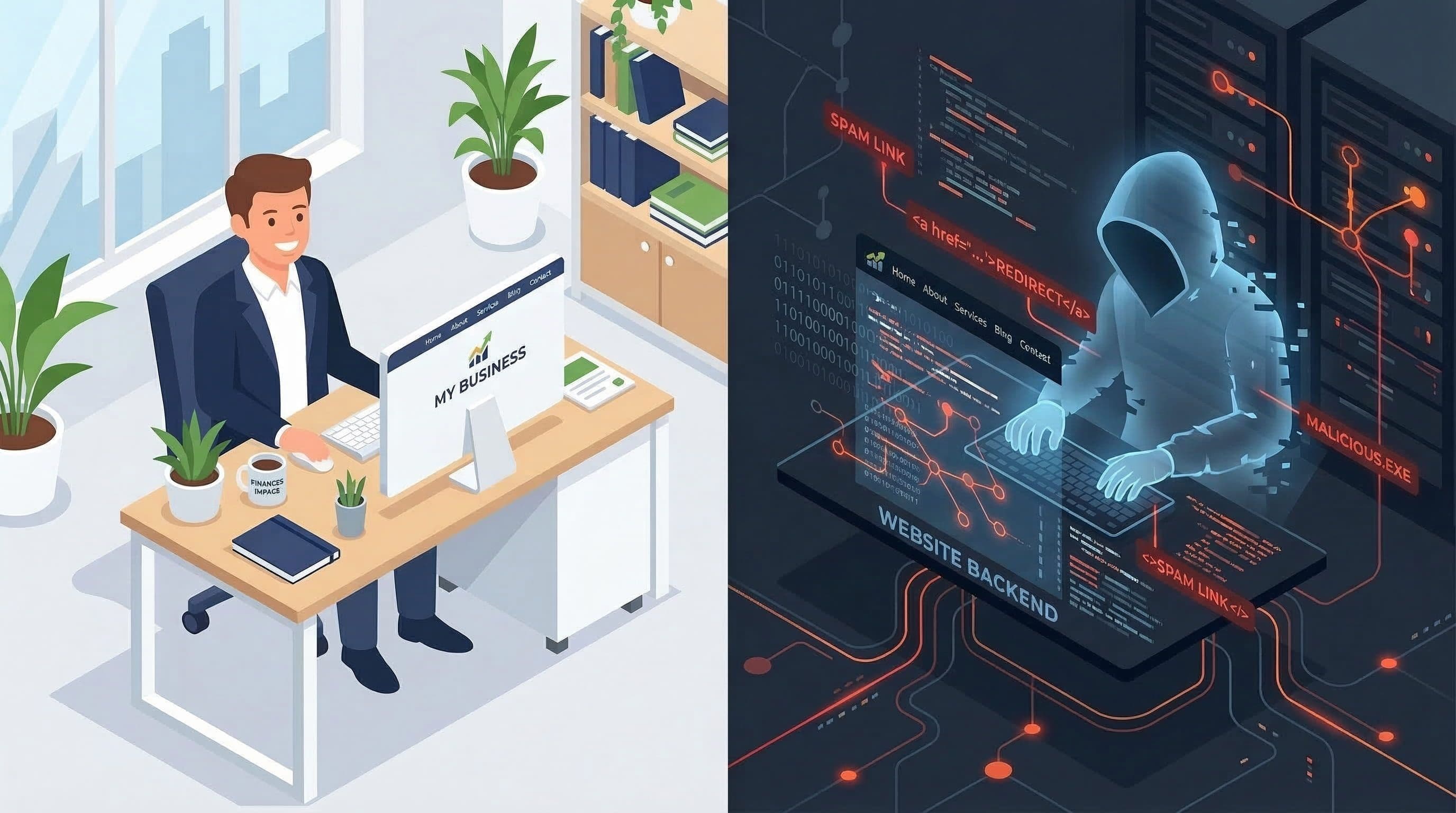
The most dangerous thing about a hacked WordPress site is that it often looks completely normal to the business owner. You log in, the homepage loads, your contact form still works. Meanwhile, attackers are quietly using your website to redirect visitors to scam pages, inject links to gambling or pharma sites, steal customer data, or send thousands of spam emails through your domain.
This is not a theoretical risk. It happens to small business websites every week. Attackers do not target businesses because of who they are. They target WordPress sites because of what they are: widely deployed, often under-maintained, and holding enough hosting infrastructure to be useful for malicious purposes.
The business cost is real and specific. A site flagged by Google as unsafe loses the trust marker that most visitors rely on subconsciously. Leads stop converting before they ever read your offer. Your email domain gets blacklisted, meaning customer replies go to spam. And if a potential client googles your business name and sees a security warning, that is a relationship that ends before it starts.
Business reality: Studies show that 98% of web traffic is driven by organic search. A security warning attached to your domain can eliminate that traffic source entirely, often within 48 hours of Google detecting malware.
The good news is that these attacks leave visible evidence. If you know what to look for, you can catch a compromise early, contain the damage, and prevent the kind of prolonged exposure that causes lasting SEO and reputation damage.
The 7 Signs Your WordPress Site Has Been Compromised
Google Is Showing a Security Warning for Your Site
If you search your own domain and see 'This site may be hacked' or if Chrome displays a red warning page before loading your site, Google has detected malicious content on your server. This warning can appear for visitors before any page on your site loads. It is not cosmetic. It is a full stop.
Why it matters: Google's Safe Browsing database flags sites identified as hosting malware, phishing content, or deceptive pages. Once flagged, organic traffic collapses because most users never click through a security warning. Chrome, Firefox, and Safari all display these alerts.
Pro insight: I check every client site against Google Search Console and the Safe Browsing Transparency Report during onboarding. Clients are often shocked to find their site is already flagged and has been for weeks. The warning does not send you an email. You have to go looking for it.
Your Site Has Been Suspended by Your Hosting Provider
If you try to load your website and see a generic 'Account Suspended' page from your hosting company, there is a reasonable chance your hosting provider detected malware and shut down the account to protect their servers and other clients. Most hosts scan for malicious files and will suspend without much warning.
Why it matters: Hosting suspension means your site is completely offline. Every hour of downtime during business hours is lost visibility, lost inquiries, and a broken experience for anyone who tries to reach you. The longer it stays down, the more Google deprioritizes your pages in search results.
Pro insight: I always check the suspension email carefully before doing anything else. Hosting providers typically describe exactly what triggered the suspension and which files they quarantined. That information tells you the infection type and scope before you even open an FTP client.
Most business owners I work with prefer having a professional handle the cleanup and recovery so they can get back to clients instead of spending hours on support tickets.
You Are Seeing Pages or Links You Did Not Create
Log in to your WordPress dashboard and go to Pages or Posts. If you see content you do not recognize, that is a strong indicator of compromise. Attackers inject pages optimized for spam keywords, usually in a language other than English, packed with outbound links to scam or pharmaceutical sites. These pages are indexed by Google and associate your domain with low-quality, deceptive content.
Why it matters: Google penalizes sites that host spammy or deceptive content. Even after cleanup, the SEO damage from injected spam pages can take months to recover from because Google's crawl schedule means these pages accumulate backlink signals before you notice them.
Pro insight: Injected pages are sometimes hidden from the WordPress admin view using database manipulation. Running a site scan with Wordfence or Sucuri is more reliable than checking the dashboard manually. I run full scans on every client site before and after any major plugin update.
Your Google Rankings Dropped Without Explanation
If you check Google Search Console and see a sharp, sudden decline in impressions or clicks that you cannot attribute to a Google algorithm update, a security issue may be the cause. Malware injection, spam content, and redirects all send negative signals to Google's crawlers. Your site can lose ranking positions it took months to build in a matter of days.
Why it matters: Organic search traffic is the primary discovery channel for most small service businesses. A ranking collapse is not just a vanity metric problem. It means fewer people find your business, fewer calls, fewer bookings, and fewer leads, often without you realizing why the phone stopped ringing.
Pro insight: I cross-reference Search Console data with Wordfence scan logs when investigating unexplained traffic drops for clients. In most cases, the ranking drop started within days of when the scan logs first detected suspicious file changes. The two timelines line up consistently.
Visitors Are Being Redirected to Another Website
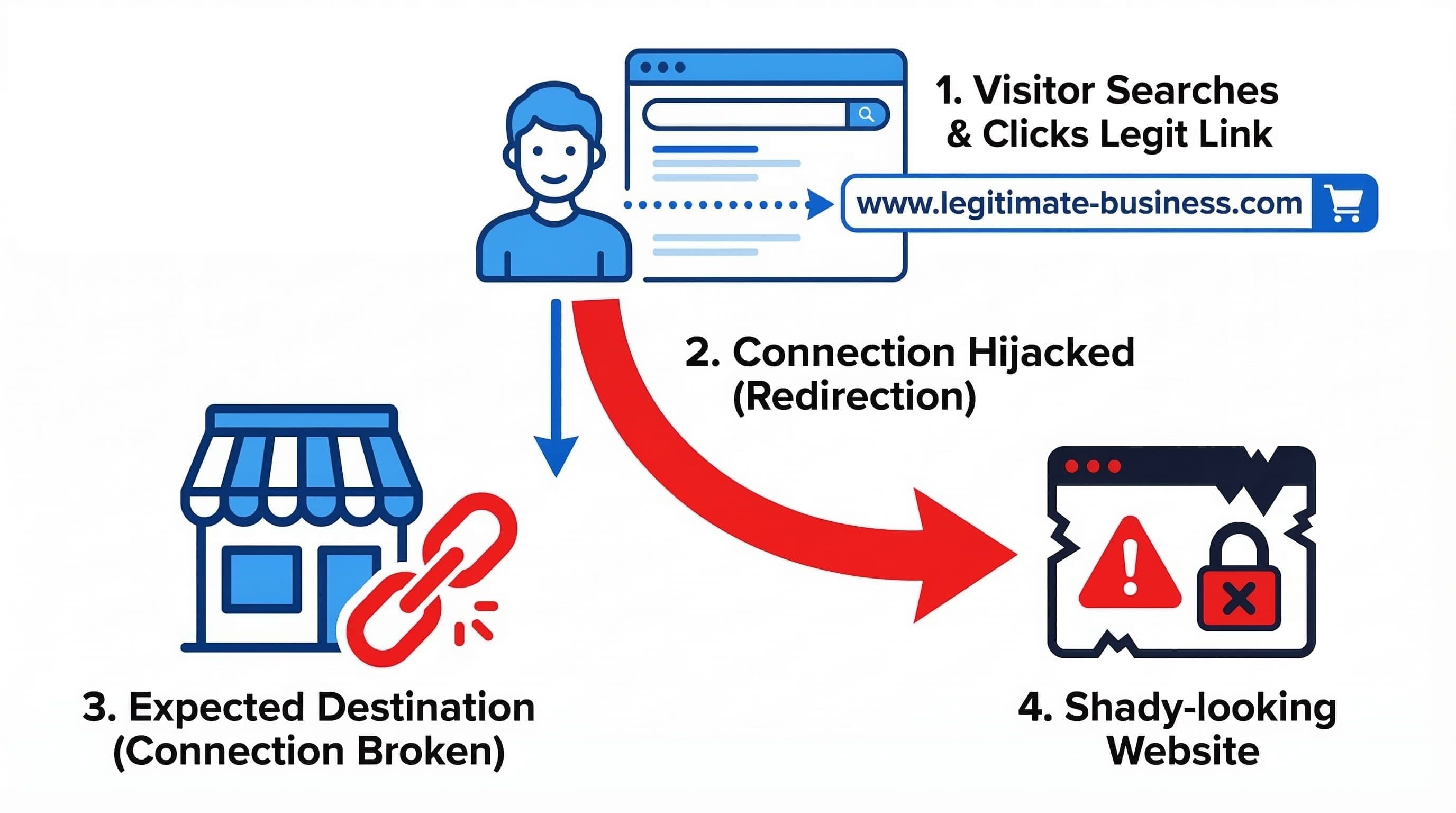
This is one of the most damaging hacks for a service business and one of the hardest to catch yourself. If your WordPress site is hacked and redirecting visitors to another website, the redirect often only fires for visitors who arrive from Google search, not for logged-in admins or direct URL visits. You can browse your own site normally while every visitor from organic search is being sent to a scam page.
This type of hack is commonly called a conditional redirect or a malicious redirect hack. The injected code targets only search traffic because that is the most valuable traffic to hijack. Business owners often find out from a customer saying they "clicked your website and ended up somewhere strange."
Why it matters: Every redirected visitor is a lead you will never see. The attack is designed to be invisible to the owner for as long as possible.
Pro insight: To check for conditional redirects, use Google's Mobile-Friendly Test or open your site in an incognito browser while logged out of WordPress. Better still, use Screaming Frog or a simple curl request with a Googlebot user-agent string to simulate what Google's crawler actually sees.
Your Admin Password Stopped Working
If you cannot log in to your WordPress dashboard despite being certain your password is correct, an attacker may have changed your admin credentials after gaining access. This is a complete account takeover scenario. The attacker now controls the site and you are locked out.
Why it matters: With admin access, an attacker can install backdoors, create new administrator accounts, alter or delete content, access customer data stored in plugins, redirect all traffic, or simply destroy the entire installation. The longer you are locked out, the more changes are made that need to be identified and reversed.
Pro insight: The first recovery step is not to contact the attacker. It is to access your database directly through your hosting control panel or phpMyAdmin and reset the admin password at the wp_users table level. From there, you can assess what was changed. This is not a beginner task, and it is exactly the kind of thing that should be handled by someone who has done it before.
Your Site Is Sending Spam Email
If customers or contacts start forwarding you messages they received from your domain that you never sent, or if your email delivery rates suddenly collapse, your server is likely being used to send spam at scale. Attackers inject PHP mailer scripts into WordPress files that run silently in the background, using your hosting account's mail server to blast thousands of messages.
Why it matters: Email-based spam abuse triggers blacklisting on major reputation databases like Spamhaus and MX Toolbox. Once your domain is blacklisted, legitimate emails you send, including invoices, appointment confirmations, and client responses, land in spam folders. Rebuilding email reputation takes weeks even after the source is removed.
Pro insight: I use MX Toolbox's free blacklist checker as a standard part of site audits. A surprisingly high number of small business domains are on at least one blacklist without the owner having any idea. Email reputation damage is often silent until a client mentions they never received your reply.
What to Do Right Now If You Recognize Any of These Signs
Stay calm and move in sequence. Panic leads to the two most common recovery mistakes: deleting files without documentation, or restoring a backup without first understanding how the site was compromised. If you restore a backup onto an infected server without patching the vulnerability, you will be reinfected within hours.
Step 1. Do not delete anything yet. Document what you are seeing. Screenshot unfamiliar pages, note error messages, save the suspension email from your host. This information helps identify the infection type.
Step 2. Put the site into maintenance mode. If you still have admin access, activate a maintenance mode plugin to stop visitors from seeing the compromised content while you work.
Step 3. Run a full malware scan. Use Wordfence or Sucuri SiteCheck to identify infected files. Do not rely on a visual check of the site.
Step 4. Change all passwords immediately. WordPress admin, FTP, hosting control panel, and database password. All of them. Attackers frequently install backdoors that allow re-entry even after cleanup.
Step 5. Update everything. WordPress core, all plugins, all themes. The entry point for most attacks is an outdated plugin with a known vulnerability. Updating closes the door the attacker used.
Step 6. Remove the infection. Infected files need to be identified and cleaned or replaced with clean copies. This step is technical and depends on the infection type. If you are not comfortable working in a file manager or FTP, this is the point to bring in professional help.
Step 7. Request a Google review. If your site was flagged by Google, submit a reconsideration request through Google Search Console after cleanup. Google typically reviews within 24 to 72 hours.
If your WordPress site keeps getting hacked after cleanup, the problem is almost always one of two things: the original entry point was never identified and closed, or a backdoor was left behind that allowed re-entry. A surface-level cleanup without a full file audit will result in reinfection, sometimes within hours. Read the full recovery guide here.
For a complete step-by-step walkthrough of the cleanup and recovery process, see: Your WordPress Site Got Hacked, Here's Exactly What to Do.
Common Mistakes Business Owners Make After Discovering a Hack
Restoring a Backup Without Finding the Entry Point
This is the most common mistake and the most costly. If you restore a clean backup but never identify and close the vulnerability that allowed the attack, you will be reinfected quickly. Attackers often install backdoors on day one. A restore removes the visible damage but leaves the door open.
Only Changing the WordPress Admin Password
A compromised site means every password associated with it needs to be changed. FTP credentials, database passwords, and hosting panel access are all separate entry points. Changing only one while leaving others unchanged gives the attacker an easy re-entry route.
Assuming the Problem Is Fixed After Cleanup
Post-cleanup monitoring matters as much as the cleanup itself. Attackers who have been inside a site once often leave secondary backdoors. Running weekly scans for 30 days after a cleanup is the minimum standard for confirming a full recovery.
Not Telling Anyone
If customer data was stored on the site, even basic contact form submissions, there may be a legal or ethical obligation to notify those contacts depending on your jurisdiction. More practically, if clients received phishing emails from your domain, they deserve to know. Staying quiet about a breach tends to create more trust damage than the breach itself.
Frequently Asked Questions
How do I know if my WordPress website has been hacked?
The most reliable way to check is to run a full malware scan using Wordfence or Sucuri SiteCheck, which are both free and take under five minutes. Visual checks are unreliable because many attacks are designed to be invisible to the site owner and only visible to visitors arriving from search engines.
Can a hacked WordPress site be fully recovered?
Yes, in most cases a hacked WordPress site can be fully recovered if the infection is identified and removed correctly and the entry point is closed. The main risk to a complete recovery is restoring a backup before finding and patching the vulnerability, which leads to reinfection. Post-cleanup monitoring for 30 days is also recommended.
What should I do if my WordPress site is hacked and redirecting visitors?
A redirect hack is one of the more serious infection types because it silently sends your search traffic to malicious sites while the site appears normal to you. The immediate steps are: put the site in maintenance mode, run a Wordfence or Sucuri scan to identify the injected code, check your .htaccess file and wp-config.php for unauthorized entries, and change all passwords. Do not restore a backup until you have identified where the redirect code was injected, or the attack will recur. See the full recovery guide for the complete sequence.
How long does Google take to remove a security warning after cleanup?
Google typically reviews a reconsideration request within 24 to 72 hours after it is submitted through Google Search Console. The request can only be submitted after the malicious content has been removed. Submitting before cleanup is complete will result in the warning remaining.
Why did my WordPress site get hacked if it is small and not well-known?
Small business sites are targeted precisely because they are typically under-maintained, not because of who owns them. Attackers use automated scanning tools that identify WordPress sites running outdated plugins with known vulnerabilities. Your site's size or traffic level is not a factor in whether it is scanned and exploited.
What is the most common way WordPress sites get hacked?
The most common entry point is an outdated plugin or theme with a publicly disclosed vulnerability. Attackers monitor CVE databases for newly published WordPress vulnerabilities and begin scanning for sites still running the affected version within hours of disclosure. Keeping plugins updated on a weekly schedule closes this window.