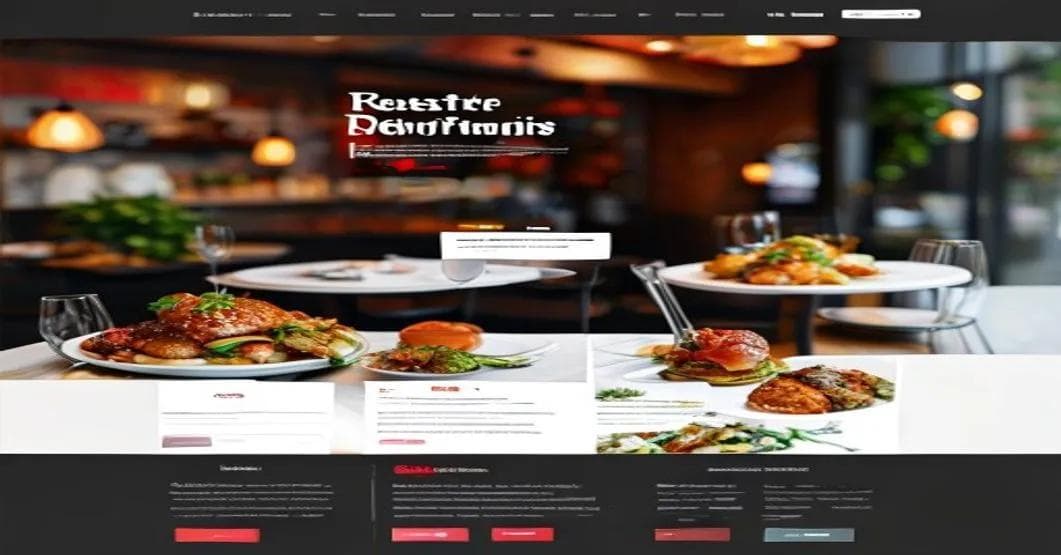
Restaurant Website Guide: Get More Orders and Happy Customers
Want a restaurant website that brings in customers? This guide covers design, online ordering, SEO, and how to avoid common mistakes.
Hello, I'm Sheikh Hassaan, a digital architect helping businesses build their online presence. Today, we're diving into something crucial for restaurants: your website. It's not just a nice extra; it's the key to getting more customers and boosting your online orders. Let's get started!
Why Your Restaurant Needs a Fantastic Website
Your website is like the digital welcome mat for your restaurant. It's often the first place people go to check you out. A great website shows off your tasty food, makes ordering easy, and helps you attract new customers. A bad website? That can send potential customers straight to your competitors.
Common Website Problems for Restaurants
Many restaurants struggle with their online presence. Here are some common issues:
- Confusing Navigation: Imagine walking into a restaurant and not being able to find the menu or a place to sit. That's what a confusing website feels like. If people can't easily find your menu, hours, or how to order, they'll likely give up.
- Poor Mobile Experience: Most people use their phones to browse the internet. If your website doesn't look good or work well on phones, you're missing out on potential customers. A website that isn't mobile-friendly can be slow, hard to read, and frustrating.
- No Online Ordering: Online ordering is a must-have. If you don't have a way for people to order directly from your website, you're missing sales. Third-party apps can be expensive because they take a cut of your profits.
- Unappealing Photos: People decide what to eat with their eyes. If your website has blurry or unappetizing photos of your food, it won't make people want to order. High-quality, professional photos are essential.
- Hidden Contact Information: Customers need to easily find your phone number, address, and hours. If this information is buried, they may get frustrated and go elsewhere.
- Lack of Search Engine Optimization (SEO): SEO helps your website show up higher in search results on Google. If your website isn't optimized, people won't be able to find you when they search for restaurants in your area.
- Out-of-Date Information: Is your menu current? Are your hours correct? If your website has old or wrong information, it can confuse customers.
- Slow Loading Speed: People are impatient. If your website takes too long to load, they'll leave. Slow loading times can also hurt your search engine rankings.
What Makes a Restaurant Website Great (and What Doesn't)
Let's compare what makes a restaurant website good or bad.
Good Restaurant Website:
- Simple, Clean Design: A good website is easy to look at and easy to use. It has a clear layout, with important information easy to find.
- Mobile-Friendly: It looks great and works perfectly on phones and tablets.
- Easy Online Ordering: Ordering food is simple. Customers can easily add items to their cart, customize their order, and pay.
- High-Quality Photos: The website features beautiful, mouth-watering photos of the food.
- Clear Menu: The menu is easy to read and includes descriptions and prices.
- Up-to-Date Information: The website has the correct hours, address, phone number, and menu.
- Fast Loading Speed: The website loads quickly.
- Optimized for Search Engines: The website is designed to rank well in search results.
- Customer Reviews: Positive reviews build trust and encourage people to order.
- Easy-to-Find Contact Information: Contact information is easy to find, including phone number, email address, and social media links.
Bad Restaurant Website:
- Cluttered, Confusing Design: The website is hard to navigate and looks messy.
- Not Mobile-Friendly: The website looks bad and doesn't work well on phones and tablets.
- No Online Ordering: Customers can't order food directly from the website.
- Low-Quality Photos: The photos are blurry, unappetizing, or missing.
- Hard-to-Read Menu: The menu is difficult to find, read, or understand.
- Out-of-Date Information: The website has old or incorrect information.
- Slow Loading Speed: The website takes a long time to load.
- Poor Search Engine Optimization: The website is hard to find in search results.
- No Customer Reviews: There are no reviews to build trust.
- Hidden Contact Information: It's hard to find contact information for the restaurant.
Examples:
Imagine two burger restaurants. "Burger Heaven" has a website with a clean design, mouth-watering photos of their burgers, an easy online ordering system, and current information. "Burger Place" has a website that's cluttered, with blurry photos, no online ordering, and outdated information. Which restaurant would you rather order from? Probably Burger Heaven!
How Much Does a Restaurant Website Cost?
The cost of a professional website can vary. Here's a general idea:
- Basic Website (Menu & Contact Info): This is the most affordable. It includes a simple website with your menu, hours, address, and contact information. It might not include online ordering. Expect to pay around $500 to $1,500.
- Standard Website (Online Ordering & SEO Basics): This includes everything in the basic website, plus an online ordering system and some basic SEO. This is a good option for restaurants that want to start taking online orders. Expect to pay around $1,500 to $3,000.
- Premium Website (Advanced Features & SEO): This is the most complete option. It includes everything in the standard website, plus features like customer reviews, social media, and more advanced SEO. This is a good option for restaurants that want to really stand out. Expect to pay around $3,000 to $7,000 or more.
What Affects the Cost:
- Complexity: The more complex your website, the more it will cost.
- Features: Adding features like online ordering and customer reviews will increase the cost.
- Design: A custom design will cost more than a template.
- SEO: More advanced SEO will cost more.
- Maintenance: Ongoing maintenance and updates will also cost extra.
Simple SEO Tips for Local Restaurants
Local SEO helps your website show up when people search for restaurants nearby. Here are some tips:
- Google Business Profile (GBP): This is a free listing on Google that shows your restaurant's name, address, phone number, hours, and reviews. Make sure your listing is complete and accurate.
- Keywords: Use keywords that people are likely to search for, like "pizza near me" or "best tacos."
- Citations: Citations are mentions of your restaurant's name, address, and phone number on other websites. The more citations you have, the better. Good places to get citations include Yelp and local directories.
- Reviews: Encourage customers to leave reviews on Google and other review sites. Positive reviews can help you attract more customers.
- On-Page SEO: Use relevant keywords on your website, including in your titles and descriptions.
- Mobile-Friendly Website: Make sure your website works well on phones, as Google prefers mobile-friendly websites.
- Local Content: Create content that is relevant to your local area, like blog posts about local events.
Google Business Profile: Your Digital Storefront
Your Google Business Profile (GBP) is very important. It's like your digital storefront on Google. Here's how to make the most of it:
- Claim and Verify: Claim your GBP listing and verify that you own the business. This gives you control over the information.
- Complete All Sections: Fill out every section, including your business name, address, phone number, hours, website, and category.
- Add Photos: Add high-quality photos of your restaurant, your food, and your team.
- Write a Great Description: Write a description that highlights what makes you special.
- Respond to Reviews: Respond to both positive and negative reviews. This shows you care about customers.
- Post Updates: Regularly post updates, such as specials and new menu items.
Keywords: What People Search For
Keywords are the words and phrases people use to search for restaurants. Here's how to choose the right ones:
- Brainstorm: Brainstorm a list of keywords that people might use to find your restaurant.
- Use Keyword Tools: Use keyword research tools to find keywords that are popular.
- Think Locally: Focus on keywords that include your city or neighborhood.
- Use Specific Keywords: Specific keywords are longer phrases that people use. For example, instead of "pizza," you could use "best pizza delivery."
- Include Keywords on Your Website: Use your keywords throughout your website, including in your titles and descriptions.
Citations: Getting Your Name Out There
Citations are mentions of your restaurant's name, address, and phone number on other websites. Here's how to get more:
- List in Online Directories: List your business in online directories like Yelp.
- Submit to Data Aggregators: Submit your business to data aggregators. These companies collect business information and share it with other websites.
- List on Industry Websites: Get listed on restaurant review sites and food blogs.
- Check Your Citations: Make sure your citations are accurate.
Website Must-Haves for Restaurants
Here's a checklist of essential features for your restaurant website:
- Online Ordering System: Allow customers to easily place orders online for pickup or delivery.
- Mobile Responsiveness: Ensure your website looks and functions perfectly on all devices, especially smartphones.
- High-Quality Menu: Display your menu clearly with accurate descriptions, prices, and enticing photos.
- Contact Information: Prominently display your phone number, address, email, and hours of operation.
- Google Maps Integration: Embed a Google Maps widget to help customers easily find your location.
- Customer Reviews and Testimonials: Showcase positive reviews to build trust and credibility.
- Social Media Integration: Link to your social media profiles to encourage engagement and build your online community.
- Blog or News Section: Share updates, promotions, and behind-the-scenes content to keep your audience engaged.
- Secure Payment Gateway: Ensure secure online transactions for customer peace of mind.
- Fast Loading Speed: Optimize your website for speed to provide a seamless user experience.
Optimizing Your Restaurant Website for Conversions
Once you have a functional website, focus on optimizing it to convert visitors into paying customers. Here are some strategies:
- Clear Call-to-Actions (CTAs): Use prominent CTAs like "Order Online," "View Menu," or "Make a Reservation" to guide visitors.
- Special Offers and Promotions: Highlight limited-time offers and discounts to incentivize immediate action.
- Upselling and Cross-selling: Suggest complementary items or upgrades during the ordering process.
- Personalized Recommendations: Offer tailored recommendations based on past orders or browsing history.
- Loyalty Programs: Reward repeat customers with exclusive discounts and perks.
- Email Marketing: Collect email addresses to send newsletters, promotions, and updates.
- A/B Testing: Experiment with different website elements to identify what works best for conversions.
- Analytics Tracking: Monitor website traffic, user behavior, and conversion rates to make data-driven improvements.
Conclusion
A great website is key for any restaurant that wants to succeed. By following these tips, you can create a website that attracts customers, makes online ordering easy, and helps you grow.
Ready to get a website that works? Send a message on WhatsApp and let's talk about your project.